Everything about Neato XV robotic vacuums

  • Home
    • MyNeatoXV: everything about Neato XV robotic vacuums
  • Contact Us
  • Neato XV Robotic Vacuums
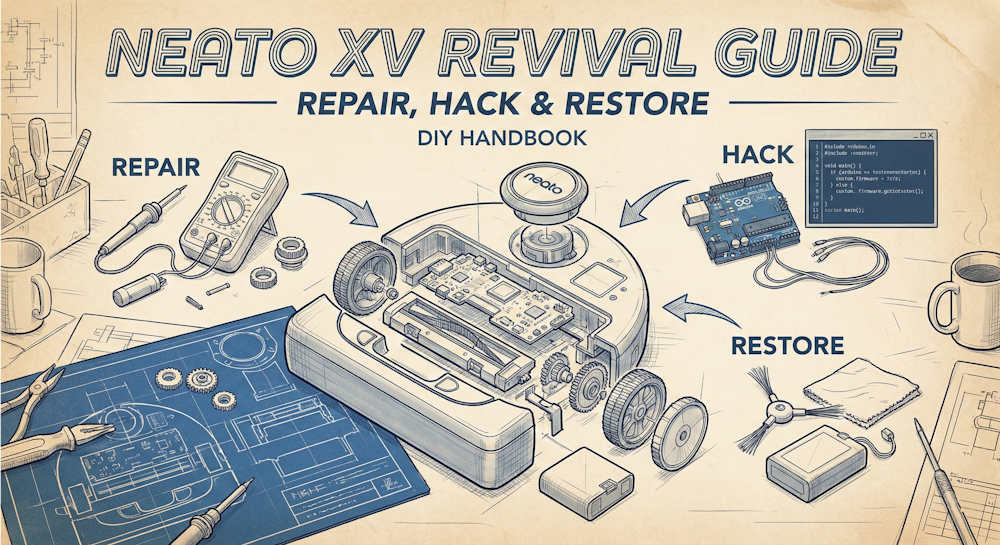
    • Neato XV Revival Guide: Repair, Hack & Restore (The 2026-2027 Edition)
    • The Scavenger’s Guide: How to Buy “Broken” Neato XVs for $20 (And Fix Them)
    • Stop Guessing: How to Use NeatoControl to “X-Ray” Your Robot
    • 3D Print Your Own Spare Parts: The Neato XV STL Guide
    • The Forbidden Upgrade: Neato Firmware Update to Vorwerk VR100 (Offline Guide)
      • The Vault: Neato XV & Vorwerk VR100 Software Repository
    • The Battery Dilemma: How to Double Your Neato XV’s Runtime (NiMH vs. Lithium)?
    • Neato Charging Station Blinking Green? The $2 C10 Capacitor Fix
    • Neato Error 3000 Fix: Lidar Motor & Belt Replacement Guide (XV-21, XV-15, XV-13, XV-11)
    • Why the “Ancient” Neato XV is Better Than Modern Robots (In 2025 and 2026)
    • Is Neato Automatic Vacuum Cleaner the Right Tool For You?
    • Neato XV Robotic Vacuum Cleaners: An Overview
      • Neato XV-21

Neato XV Revival Guide: Repair, Hack & Restore (The 2026-2027 Edition)

February 14, 2026 by simon Leave a Comment

Neato XV Revival Guide: Repair, Hack & Restore (The 2026-2027 Edition)

Neato Robotics is gone. The cloud servers are shutting down. Modern smart vacuums are being bricked left and right.

But the Neato XV Series doesn't care. It has no cloud, no camera, and no planned obsolescence. It is a tank designed to run forever—if you know how to maintain it.

This is the internet's most comprehensive Neato XV repair guide. Whether you are trying to fix a Neato XV-21, XV-11, Signature Pro, or even a Vorwerk VR100, this hub contains everything you need to know aboutbatteries, Lidar errors,firmware hacking, and 3D printed upgrades.

Table of contents

  • 🔍 Quick Troubleshooter: What is your robot doing?
  • 🏁 Phase 1: The Basics
    • Part 1: Why the Neato XV is Better Than Modern Robots (In 2025 and 2026 )
  • 🛠️ Phase 2: Critical Repairs (Get It Running)
    • Part 2: The Battery Dilemma (NiMH vs. Lithium)
    • Part 3: Fixing Error 3000 (The Lidar Repair)
    • Part 4: The “Blinking Green Light” Fix (Capacitors)
  • ⚡ Phase 3: The “Hacker” Upgrades
    • Part 5: The Forbidden Upgrade (Vorwerk Firmware Hack)
    • Part 6: 3D Printed Spare Parts of Neato XV
  • 🧰 Phase 4: Maintenance & Diagnostics
    • Part 7: How to Use NeatoControl & Toolio
    • Part 8: The Scavenger's Guide to eBay
  • 💾 The Vault: Software Downloads
    • Part 9: Software resources for Neato XV Vacuum Cleaner
  • 🗃️Models Covered in This Guide

🔍 Quick Troubleshooter: What is your robot doing?

Not sure where to start with your Neato XV robot? Find your symptom below to jump to the right fix.

SymptomThe Likely ProblemThe Guide
Dies after 5-10 minutesBattery memory effect or dead cells.Go to Part 2 (Batteries)
Spins in circles / “Vision Blocked”Lidar motor or O-ring belt failure.Go to Part 3 (Lidar Fix)
Dock light blinking fast / Won't chargePower supply capacitors (C10) are blown.Go to Part 4 (Capacitors)
LCD Screen is blank/dimLCD capacitor issue or loose ribbon.Go to Part 8 (Scavenging)
Getting stuck on cornersOutdated firmware.Go to Part 5 (Firmware Hack)
Plastic bin handle snappedAge-related plastic fatigue.Go to Part 6 (3D Printing)
Nispira 12 Pack Hepa Filter Replacement Compatible with Neato XV-15 XV-25 XV21 Vorwerk VR100 Vaccum
Powerextra 7.2V 4000mAh Battery Compatible with Neato XV-11 XV-12 XV-14 XV-15 XV-21 XV-25, XV Essential, XV Signature Pro Robotic Vacuum Cleaners Neato Replacement Battery 945-0005 205-0001 (2 Pack)
Nispira 12 Pack Hepa Filter Replacement Compatible with Neato XV-15 XV-25 XV21 Vorwerk VR100 Vaccum
Powerextra 7.2V 4000mAh Battery Compatible with Neato XV-11 XV-12 XV-14 XV-15 XV-21 XV-25, XV Essential, XV Signature Pro Robotic Vacuum Cleaners Neato Replacement Battery 945-0005 205-0001 (2 Pack)
-
-
$11.99
$37.99
-
-
Buy on Amazon
Buy on Amazon
Nispira 12 Pack Hepa Filter Replacement Compatible with Neato XV-15 XV-25 XV21 Vorwerk VR100 Vaccum
-
$11.99
-
Buy on Amazon
Powerextra 7.2V 4000mAh Battery Compatible with Neato XV-11 XV-12 XV-14 XV-15 XV-21 XV-25, XV Essential, XV Signature Pro Robotic Vacuum Cleaners Neato Replacement Battery 945-0005 205-0001 (2 Pack)
-
$37.99
-
Buy on Amazon

🏁 Phase 1: The Basics

Why you should keep this dinosaur instead of buying a $1,000 Roomba.

Part 1: Why the Neato XV is Better Than Modern Robots (In 2025 and 2026 )

The case for the “offline” robot. We discuss privacy, repairability, and why the “dumb” Lidar navigation is actually a security feature in the age of surveillance capitalism.

🛠️ Phase 2: Critical Repairs (Get It Running)

Your robot is beeping, spinning, or dead. Fix the hardware first.

Part 2: The Battery Dilemma (NiMH vs. Lithium)

The #1 reason Neatos die. We compare safe NiMH replacements vs. the “Hacker” Lithium-Ion mod that doubles runtime. Includes the essential “New Battery Reset” trick.

Part 3: Fixing Error 3000 (The Lidar Repair)

Is your robot spinning in circles and crying about “Vision Blocked”? Don't throw it away. It's likely a $2 O-ring or an $8 motor. We show you how to swap them (and how to reverse the motor polarity).

Part 4: The “Blinking Green Light” Fix (Capacitors)

If your charging dock light is flickering or the robot refuses to charge, your power supply capacitors are shot. We walk you through the soldering fix to revive the dock for pennies.

⚡ Phase 3: The “Hacker” Upgrades

It works. Now let's make it smarter than the factory intended.

Part 5: The Forbidden Upgrade (Vorwerk Firmware Hack)

How to cross-flash your American Neato XV with German Vorwerk VR100 firmware. Unlocks faster navigation, “Corner Cleaning” mode, and aggressive performance.

Part 6: 3D Printed Spare Parts of Neato XV

Stop buying brittle plastic replacements. We curate the best STL files for dust bin latches, bumper extensions, and gears so you can print your own supply chain.

🧰 Phase 4: Maintenance & Diagnostics

Keep it running and find free parts.

Part 7: How to Use NeatoControl & Toolio

Stop guessing. Connect your robot to a PC via USB and see exactly what the sensors see. A must-read for diagnosing invisible wall sensor failures.

Part 8: The Scavenger's Guide to eBay

How to spot “Gold” (easy fixes) vs. “Fool's Gold” (motherboard failures) on eBay. Build a fleet of robots for under $20 each.

💾 The Vault: Software Downloads

Need the files mentioned in these guides? We have archived the drivers and tools that Neato deleted.

Part 9: Software resources for Neato XV Vacuum Cleaner

  • Neato USB Drivers (Win 10/11)
  • NeatoControl & Neato Toolio
  • Vorwerk VR100 Firmware 3.2
  • Neato Offline Updater Tool

🗃️Models Covered in This Guide

  • Neato XV Series: XV-11, XV-12, XV-14, XV-15, XV-18, XV-21
  • Neato Signature Series: Signature, Signature Pro
  • Vorwerk: Kobold VR100

Do you have a repair story? Share it in the comments below or contact us to contribute to the archive.
Teenitor Solder Sucker Desoldering Vacuum Pump Solder Removal Tool 3pcs/Pack Desoldering Pump Soldering Sucker Tool
JCCON 10-Pack 35V 100uF Premium Quality Low ESR Electrolytic Capacitors 6x7mm (0.24x0.28in), 35Volt 100MFD High-Frequency Caps with Superior Performance
Soldering Iron Kit, 80W 110V LCD Digital Solder Iron Pen with Ceramic Heater, Portable Welding Tools with 5pcs Tips, Stand, Solders Wire, Sponge, Paste, for Metal,Electric Repairs, DIY
Teenitor Solder Sucker Desoldering Vacuum Pump Solder Removal Tool 3pcs/Pack Desoldering Pump Soldering Sucker Tool
JCCON 10-Pack 35V 100uF Premium Quality Low ESR Electrolytic Capacitors 6x7mm (0.24x0.28in), 35Volt 100MFD High-Frequency Caps with Superior Performance
Soldering Iron Kit, 80W 110V LCD Digital Solder Iron Pen with Ceramic Heater, Portable Welding Tools with 5pcs Tips, Stand, Solders Wire, Sponge, Paste, for Metal,Electric Repairs, DIY
$7.19
Price not available
$9.99
-
-
-
-
-
-
Buy on Amazon
Buy on Amazon
Buy on Amazon
Teenitor Solder Sucker Desoldering Vacuum Pump Solder Removal Tool 3pcs/Pack Desoldering Pump Soldering Sucker Tool
$7.19
-
-
Buy on Amazon
JCCON 10-Pack 35V 100uF Premium Quality Low ESR Electrolytic Capacitors 6x7mm (0.24x0.28in), 35Volt 100MFD High-Frequency Caps with Superior Performance
Price not available
-
-
Buy on Amazon
Soldering Iron Kit, 80W 110V LCD Digital Solder Iron Pen with Ceramic Heater, Portable Welding Tools with 5pcs Tips, Stand, Solders Wire, Sponge, Paste, for Metal,Electric Repairs, DIY
$9.99
-
-
Buy on Amazon

Filed Under: Automatic Vacuum Cleaner, NeatoXV Tagged With: 3D print, battery, error 0002, error 3000, firmware, Li-ion, Lidar, Neato C10 Capacitor Replacement, Neato charging station blinking green, neato robotic vacuum cleaner, Neato Toolio, neato XV, neato XV repair, USB driver

The Scavenger’s Guide: How to Buy “Broken” Neato XVs for $20 (And Fix Them)

January 24, 2026 by simon Leave a Comment

How to Buy "Broken" Neato XVs for $20 (And Fix Them)

You now know how to solder capacitors, flash firmware, and 3D print latches. You possess knowledge that 99% of the population lacks.

To the average person, a Neato XV that beeps and stops is “broken trash.”

To you, it is a $20 asset that just needs a $2 O-ring.

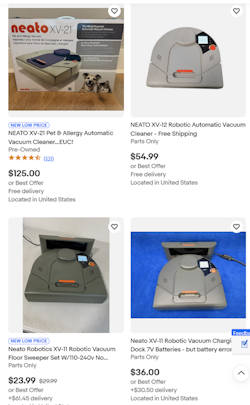
If you want to keep your Neato running forever—or build a fleet of them for every floor of your house—you need spare parts. And the cheapest way to get parts is to buy Neato for parts repair units on eBay, Goodwill, or Facebook Marketplace.

Here is the ultimate guide to spotting “Gold” (easy fixes) vs. “Fool's Gold” (money pits).

Table of contents

  • The “Green Flags”: Buy These immediately 🟢
    • 1. “Runs for 5 minutes then stops” / “Needs New Battery”
    • 2. “Error 3000” / “Vision Blocked”
    • 3. “DOCK INCLUDED”
  • The “Yellow Flags”: Proceed with Caution 🟡
    • 1. “Dim Screen” / “No Display”
    • 2. “Bumper Stuck” / “Navigates Erratically”
  • The “Red Flags”: Run Away 🔴
    • 1. “No Power” (Even on Dock)
    • 2. “Missing Dust Bin”
  • The “White Whale”: Finding the Cruz Board 🐳
  • Your Scavenging Toolkit
  • Conclusion: The XV Forever

The “Green Flags”: Buy These immediately 🟢

These descriptions usually indicate a robot that is mechanically perfect but has a minor consumable failure.

1. “Runs for 5 minutes then stops” / “Needs New Battery”

  • The Real Issue: The NiMH batteries are dead.
  • The Fix: You were going to upgrade to a Lithium-Ion battery anyway.
  • Verdict: BUY. You get a working motherboard, Lidar, and wheels for the price of shipping.

2. “Error 3000” / “Vision Blocked”

  • The Real Issue: The seller thinks the laser is broken. We know it's just the $2 rubber belt.
  • The Fix: A $2 O-ring and 15 minutes of work.
  • Verdict: BUY. This is the most common and profitable flip.

3. “DOCK INCLUDED”

  • The Strategy: Often, the charging dock alone is worth $30-$40 on eBay.
  • Verdict: If you see a listing for a “broken” robot with a dock for under $40, buy it. Even if the robot is crushed by a tank, the dock pays for the purchase.
Nispira 12 Pack Hepa Filter Replacement Compatible with Neato XV-15 XV-25 XV21 Vorwerk VR100 Vaccum
Powerextra 7.2V 4000mAh Battery Compatible with Neato XV-11 XV-12 XV-14 XV-15 XV-21 XV-25, XV Essential, XV Signature Pro Robotic Vacuum Cleaners Neato Replacement Battery 945-0005 205-0001 (2 Pack)
Nispira 12 Pack Hepa Filter Replacement Compatible with Neato XV-15 XV-25 XV21 Vorwerk VR100 Vaccum
Powerextra 7.2V 4000mAh Battery Compatible with Neato XV-11 XV-12 XV-14 XV-15 XV-21 XV-25, XV Essential, XV Signature Pro Robotic Vacuum Cleaners Neato Replacement Battery 945-0005 205-0001 (2 Pack)
-
-
$11.99
$37.99
-
-
Buy on Amazon
Buy on Amazon
Nispira 12 Pack Hepa Filter Replacement Compatible with Neato XV-15 XV-25 XV21 Vorwerk VR100 Vaccum
-
$11.99
-
Buy on Amazon
Powerextra 7.2V 4000mAh Battery Compatible with Neato XV-11 XV-12 XV-14 XV-15 XV-21 XV-25, XV Essential, XV Signature Pro Robotic Vacuum Cleaners Neato Replacement Battery 945-0005 205-0001 (2 Pack)
-
$37.99
-
Buy on Amazon

The “Yellow Flags”: Proceed with Caution 🟡

1. “Dim Screen” / “No Display”

  • The Issue: The Neato XV LCD screens are notorious for fading or going blank.
  • The Fix: You can buy replacement LCDs from AliExpress (~$15), but soldering them can be tricky.
  • Verdict: Good for parts, but annoying if you want to use it as a primary cleaner. However, if you have the NeatoControl tool, you don't actually need the screen to schedule it!

2. “Bumper Stuck” / “Navigates Erratically”

  • The Issue: Usually dust in the tactile switches or optical wall sensors.
  • The Fix: A can of compressed air often fixes this.
  • Verdict: A gamble, but usually pays off.

The “Red Flags”: Run Away 🔴

1. “No Power” (Even on Dock)

  • The Issue: If the seller says “I put it on the charger and no lights come on,” it could be a blown F1 fuse on the motherboard or severe water damage.
  • The Fix: Board-level microsoldering.
  • Verdict: Hard pass unless you need wheel motors.

2. “Missing Dust Bin”

  • The Issue: Replacement dust bins are surprisingly expensive ($25+) because they break so often.
  • Verdict: Unless the robot is $5, skipping the bin makes it uneconomical to restore.

The “White Whale”: Finding the Cruz Board 🐳

If you want to do the Vorwerk Firmware Hack, you want the older Rev 113 “Cruz” motherboard.

How do you spot them in blurry eBay photos?

  1. Look at the Charging Contacts: Older models sometimes have slightly different contact pads.
  2. Look at the Label: If the model is XV-11 (Green) or XV-12 (Blue), it is almost certainly a Cruz board.
  3. Avoid: The “XV Signature” (Black) almost always has the newer, un-hackable Binky board.

Your Scavenging Toolkit

  1. eBay Saved Search: Set up an alert for “Neato XV for parts” and filter by “Price + Shipping: Lowest First.”
  2. ShopGoodwill.com: A goldmine for robots donated by people who lost the charger.
  3. Local Pickup: Check Facebook Marketplace. People often give them away for free just to clear garage space.
Teenitor Solder Sucker Desoldering Vacuum Pump Solder Removal Tool 3pcs/Pack Desoldering Pump Soldering Sucker Tool
JCCON 10-Pack 35V 100uF Premium Quality Low ESR Electrolytic Capacitors 6x7mm (0.24x0.28in), 35Volt 100MFD High-Frequency Caps with Superior Performance
Soldering Iron Kit, 80W 110V LCD Digital Solder Iron Pen with Ceramic Heater, Portable Welding Tools with 5pcs Tips, Stand, Solders Wire, Sponge, Paste, for Metal,Electric Repairs, DIY
Teenitor Solder Sucker Desoldering Vacuum Pump Solder Removal Tool 3pcs/Pack Desoldering Pump Soldering Sucker Tool
JCCON 10-Pack 35V 100uF Premium Quality Low ESR Electrolytic Capacitors 6x7mm (0.24x0.28in), 35Volt 100MFD High-Frequency Caps with Superior Performance
Soldering Iron Kit, 80W 110V LCD Digital Solder Iron Pen with Ceramic Heater, Portable Welding Tools with 5pcs Tips, Stand, Solders Wire, Sponge, Paste, for Metal,Electric Repairs, DIY
$7.19
Price not available
$9.99
-
-
-
-
-
-
Buy on Amazon
Buy on Amazon
Buy on Amazon
Teenitor Solder Sucker Desoldering Vacuum Pump Solder Removal Tool 3pcs/Pack Desoldering Pump Soldering Sucker Tool
$7.19
-
-
Buy on Amazon
JCCON 10-Pack 35V 100uF Premium Quality Low ESR Electrolytic Capacitors 6x7mm (0.24x0.28in), 35Volt 100MFD High-Frequency Caps with Superior Performance
Price not available
-
-
Buy on Amazon
Soldering Iron Kit, 80W 110V LCD Digital Solder Iron Pen with Ceramic Heater, Portable Welding Tools with 5pcs Tips, Stand, Solders Wire, Sponge, Paste, for Metal,Electric Repairs, DIY
$9.99
-
-
Buy on Amazon

Conclusion: The XV Forever

By following this series, you have taken a piece of “obsolete” technology and made it superior to robots costing ten times as much. You have saved e-waste from the landfill, saved your wallet from the subscription economy, and learned real engineering skills.

Long live the Neato XV.

Filed Under: Automatic Vacuum Cleaner, NeatoXV Tagged With: battery, Binky, charging, Cruz, eBay, error 0002, error 3000, firmware, Li-ion, Lidar, Neato charging station, Neato charging station blinking green, neato robotic vacuum cleaner, Neato Toolio, neato XV, neato XV repair, NeatoControl, NiMH, Vorwerk

Stop Guessing: How to Use NeatoControl to “X-Ray” Your Robot

January 15, 2026 by simon Leave a Comment

Stop Guessing: How to Use NeatoControl to "X-Ray" Your Robot. perform a full Neato diagnostic check via USB

You’ve replaced the battery, but it still dies early. You replaced the Lidar motor, but it still spins in circles. At this point, most people just start throwing parts at the robot, hoping something sticks.

Stop. Your Neato XV isn't just a vacuum; it’s a computer on wheels. And like any computer, it has a diagnostic port.

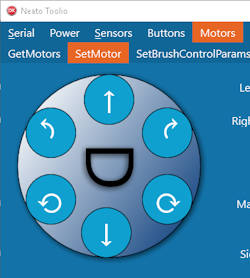
By connecting your robot to a PC, you can stop guessing and start seeing exactly what the robot sees. Whether you are using the classic NeatoControl software or the newer Neato Toolio, this guide will show you how to perform a full Neato diagnostic check via USB.

Table of contents

  • The Prerequisites: The Driver Nightmare
  • Choose Your Weapon: NeatoControl vs. Toolio
    • 1. NeatoControl (The Classic)
    • 2. Neato Toolio (The Modern Choice)
  • 3 Tests You Must Run
    • Test 1: The “Fan Load” Battery Test
    • Test 2: The “Wall Sensor” Wiggle
    • Test 3: The Lidar Spin Up
  • Crucial: How to Exit Test Mode
  • Why This Matters for Scavenging

The Prerequisites: The Driver Nightmare

Before you can see the matrix, you need to get past the gatekeeper.

The Neato XV communicates over a virtual COM port. Unfortunately, the official Neato USB driver for Windows 10/11 is ancient and unsigned, meaning modern Windows hates it.

How to Install the Driver:

  1. Download the Neato XV USB driver.
  2. The Trick: You may need to choose “Disable Driver Signature Enforcement. (Google this if you get an installation error).
  3. Connect: Plug the Mini-USB cable into the robot. You should hear the Windows “Device Connected” chime. Check Device Manager for “Neato Robotics USB Port.”

Choose Your Weapon: NeatoControl vs. Toolio

There are two main tools for this job. Both are free. Both are included in our Vault for Neato XV software.

1. NeatoControl (The Classic)

NeatoControl is the original Russian-made tool. It’s abandoned but stable. It displays sensor data in visual graphs, which is great for spotting “noisy” sensors.

  • Best for: Visualizing Lidar spin consistency.

2. Neato Toolio (The Modern Choice)

Neato Toolio is a newer, open-source alternative. It’s lighter, faster, and often works better on Windows 11.

  • Best for: Quick toggling of motors and reading error logs.
Teenitor Solder Sucker Desoldering Vacuum Pump Solder Removal Tool 3pcs/Pack Desoldering Pump Soldering Sucker Tool
JCCON 10-Pack 35V 100uF Premium Quality Low ESR Electrolytic Capacitors 6x7mm (0.24x0.28in), 35Volt 100MFD High-Frequency Caps with Superior Performance
Soldering Iron Kit, 80W 110V LCD Digital Solder Iron Pen with Ceramic Heater, Portable Welding Tools with 5pcs Tips, Stand, Solders Wire, Sponge, Paste, for Metal,Electric Repairs, DIY
Teenitor Solder Sucker Desoldering Vacuum Pump Solder Removal Tool 3pcs/Pack Desoldering Pump Soldering Sucker Tool
JCCON 10-Pack 35V 100uF Premium Quality Low ESR Electrolytic Capacitors 6x7mm (0.24x0.28in), 35Volt 100MFD High-Frequency Caps with Superior Performance
Soldering Iron Kit, 80W 110V LCD Digital Solder Iron Pen with Ceramic Heater, Portable Welding Tools with 5pcs Tips, Stand, Solders Wire, Sponge, Paste, for Metal,Electric Repairs, DIY
$7.19
Price not available
$9.99
-
-
-
-
-
-
Buy on Amazon
Buy on Amazon
Buy on Amazon
Teenitor Solder Sucker Desoldering Vacuum Pump Solder Removal Tool 3pcs/Pack Desoldering Pump Soldering Sucker Tool
$7.19
-
-
Buy on Amazon
JCCON 10-Pack 35V 100uF Premium Quality Low ESR Electrolytic Capacitors 6x7mm (0.24x0.28in), 35Volt 100MFD High-Frequency Caps with Superior Performance
Price not available
-
-
Buy on Amazon
Soldering Iron Kit, 80W 110V LCD Digital Solder Iron Pen with Ceramic Heater, Portable Welding Tools with 5pcs Tips, Stand, Solders Wire, Sponge, Paste, for Metal,Electric Repairs, DIY
$9.99
-
-
Buy on Amazon

3 Tests You Must Run

Once connected, click “Connect” in your software. The robot will enter Test Mode (you’ll verify this because the LCD screen on the robot will blank out).

Test 1: The “Fan Load” Battery Test

Your battery might show 8.0V when sitting idle, but does it collapse under load?

  1. Go to the Motors tab.
  2. Turn Vacuum Fan to ON (Warning: It’s loud!).
  3. Watch the Battery Voltage graph.
  4. The Diagnosis: If the voltage instantly drops below 7.2V within 10 seconds of the fan turning on, your battery cells are shot, even if they charge to 100%.

Test 2: The “Wall Sensor” Wiggle

Does your robot back up for no reason or refuse to hug walls?

  1. Go to the Sensors tab.
  2. Find the Wall Sensor value (usually measured in mm).
  3. Wave your hand in front of the left side of the bumper.
  4. The Diagnosis: The number should change smoothly from ~20mm to ~100mm. If it’s stuck at 0 or jumps frantically between 10 and 500 without movement, the sensor is dirty or dead.

You may also consider upgrading the Neato XV firmware if your version is below 3.0.

Test 3: The Lidar Spin Up

This is the ultimate check for the Neato Error 3000.

  1. Go to the Lidar/Scanner tab.
  2. Click Scan.
  3. You should see red dots appearing in a circle (the map of your room).
  4. Look at the RPM value.
  5. The Diagnosis: A healthy robot spins at 290–310 RPM.
    • 260 RPM or lower: Your belt is slipping (See this Post).
    • 0 RPM: Your motor is dead or polarity is wrong.
Nispira 12 Pack Hepa Filter Replacement Compatible with Neato XV-15 XV-25 XV21 Vorwerk VR100 Vaccum
Powerextra 7.2V 4000mAh Battery Compatible with Neato XV-11 XV-12 XV-14 XV-15 XV-21 XV-25, XV Essential, XV Signature Pro Robotic Vacuum Cleaners Neato Replacement Battery 945-0005 205-0001 (2 Pack)
Nispira 12 Pack Hepa Filter Replacement Compatible with Neato XV-15 XV-25 XV21 Vorwerk VR100 Vaccum
Powerextra 7.2V 4000mAh Battery Compatible with Neato XV-11 XV-12 XV-14 XV-15 XV-21 XV-25, XV Essential, XV Signature Pro Robotic Vacuum Cleaners Neato Replacement Battery 945-0005 205-0001 (2 Pack)
-
-
$11.99
$37.99
-
-
Buy on Amazon
Buy on Amazon
Nispira 12 Pack Hepa Filter Replacement Compatible with Neato XV-15 XV-25 XV21 Vorwerk VR100 Vaccum
-
$11.99
-
Buy on Amazon
Powerextra 7.2V 4000mAh Battery Compatible with Neato XV-11 XV-12 XV-14 XV-15 XV-21 XV-25, XV Essential, XV Signature Pro Robotic Vacuum Cleaners Neato Replacement Battery 945-0005 205-0001 (2 Pack)
-
$37.99
-
Buy on Amazon

Crucial: How to Exit Test Mode

This is the #1 mistake newbies make.

When you are done testing, you MUST click “Disconnect” in the software before unplugging the USB cable.

If you just yank the cable, the robot stays in Test Mode. The buttons won't work, and it won't clean.

  • The Fix: If you forgot, just hold the Power button for 15 seconds to force a hard reboot.

Why This Matters for Scavenging

Understanding Neato diagnostics turns you into a sniper on eBay. You can buy “broken” robots that sellers claim are dead, only to plug them in, see a simple “Wheel Motor Stall” error, and fix it for free by pulling a hairball out of the axle.

Speaking of eBay… now that you are a master mechanic, let's go shopping. In our next post, we look at 3D printed upgrades to replace the fragile plastic parts Neato engineered to fail.

RF-500TB-12560 Mini Electric DC Motor 3V-12V 2700RPM DC Motor 32mm Diameter Motor, Pack of 2
caSino187 XV Lidar Motor Drive Belt for Neato XV Series Signature xv-21 xv-12
RF-500TB-12560 Mini Electric DC Motor 3V-12V 2700RPM DC Motor 32mm Diameter Motor, Pack of 2
caSino187 XV Lidar Motor Drive Belt for Neato XV Series Signature xv-21 xv-12
$9.99
$9.95
-
-
-
-
Buy on Amazon
Buy on Amazon
RF-500TB-12560 Mini Electric DC Motor 3V-12V 2700RPM DC Motor 32mm Diameter Motor, Pack of 2
$9.99
-
-
Buy on Amazon
caSino187 XV Lidar Motor Drive Belt for Neato XV Series Signature xv-21 xv-12
$9.95
-
-
Buy on Amazon

Filed Under: Automatic Vacuum Cleaner, NeatoXV Tagged With: battery, error 0002, error 3000, firmware, Lidar, mini USB, neato robotic vacuum cleaner, Neato Toolio, neato XV, neato XV repair, NeatoControl, sensor, test mode, USB driver, Vorwerk

The Forbidden Upgrade: Neato Firmware Update to Vorwerk VR100 (Offline Guide)

January 11, 2026 by simon Leave a Comment

Neato Firmware Update to Vorwerk VR100 (Offline Guide)

You’ve upgraded the battery. You've solved the charging station blinking green issue. You’ve fixed the Lidar. Your Neato XV is running like new. But what if I told you it’s still running with one hand tied behind its back?

In 2011, a German company called Vorwerk licensed the Neato XV design to create their own luxury robot, the Kobold VR100. It looked almost identical, but it cost three times as much. Why? Because it had Lithium batteries, a side brush, and—most importantly—superior software.

Since Neato shut down their official OTA servers in 2019, finding a working Neato firmware update tool has been impossible for most owners. But the community discovered a secret: With a simple Mini-USB cable and the right Neato offline update files, you can overwrite your robot's brain with German engineering.

Here is the definitive guide to the Vorwerk VR100 firmware for Neato hack.

Table of contents

  • Why Do This? The “Corner Cleaning” Secret
  • ⚠️ The Danger Zone: Neato Binky vs Cruz Board
  • The Tools You Need
  • The Procedure: Flashing the Brain
    • Step 1: Install the Neato USB Driver (Windows 10/11)
    • Step 2: Prepare the Robot
    • Step 3: Set your XV Neato as VR100
    • Step 4: Run the Updater
    • Step 5: Set your Neato XV model name back
    • Step 6: The Reboot
  • Troubleshooting: “My Robot Won't Boot!”
  • The Verdict

Why Do This? The “Corner Cleaning” Secret

The standard Neato XV firmware is good. The Vorwerk firmware (specifically version 3.2) is aggressive. By flashing the Vorwerk firmware on a Neato XV-21 (or XV-11), you unlock:

  1. Corner Cleaning Mode: Standard Neatos cut corners to save time. The Vorwerk firmware makes the robot back into corners and wiggle, cleaning deeper than any US model was programmed to do.
  2. Faster Navigation: The German pathfinding algorithm is noticeably snappier.
  3. Increased Suction (Rumored): Many users report the fan spins up slightly higher on the “Turbo” setting found in the Vorwerk menu.

⚠️ The Danger Zone: Neato Binky vs Cruz Board

STOP. Before you download anything, you must check which motherboard your robot has. This is the difference between a “Neato Binky vs Cruz board.”

If you flash the wrong firmware, you might brick your robot.

  1. The “Cruz” Board (Rev 113): Found in older XV-11, XV-12, and early XV-21 models. This is the most hackable board. It loves the Vorwerk 3.2 update.
  2. The “Binky” Board (Rev 64): Found in newer XV-21 and “XV Signature” models. These usually ship with Neato firmware 3.4. DO NOT try to downgrade these to Vorwerk 3.2; you will cause errors.

How to Check:

On your robot’s LCD screen, go to: Menu > Support > Show Revision.

Look for Board Rev.

  • If it says 113, proceed with the hack.
  • If it says 64, you are likely already running the latest Neato 3.4 firmware. You can't easily cross-flash, but you can re-flash 3.4 to fix corruption issues.
Nispira 12 Pack Hepa Filter Replacement Compatible with Neato XV-15 XV-25 XV21 Vorwerk VR100 Vaccum
Powerextra 7.2V 4000mAh Battery Compatible with Neato XV-11 XV-12 XV-14 XV-15 XV-21 XV-25, XV Essential, XV Signature Pro Robotic Vacuum Cleaners Neato Replacement Battery 945-0005 205-0001 (2 Pack)
Nispira 12 Pack Hepa Filter Replacement Compatible with Neato XV-15 XV-25 XV21 Vorwerk VR100 Vaccum
Powerextra 7.2V 4000mAh Battery Compatible with Neato XV-11 XV-12 XV-14 XV-15 XV-21 XV-25, XV Essential, XV Signature Pro Robotic Vacuum Cleaners Neato Replacement Battery 945-0005 205-0001 (2 Pack)
-
-
$11.99
$37.99
-
-
Buy on Amazon
Buy on Amazon
Nispira 12 Pack Hepa Filter Replacement Compatible with Neato XV-15 XV-25 XV21 Vorwerk VR100 Vaccum
-
$11.99
-
Buy on Amazon
Powerextra 7.2V 4000mAh Battery Compatible with Neato XV-11 XV-12 XV-14 XV-15 XV-21 XV-25, XV Essential, XV Signature Pro Robotic Vacuum Cleaners Neato Replacement Battery 945-0005 205-0001 (2 Pack)
-
$37.99
-
Buy on Amazon

The Tools You Need

Since Neato shut down their update servers, the official “Neato Updater” tool no longer works. It tries to phone home and fails. You need the Neato offline firmware update files.

Downloads (see Neato XV software repository):

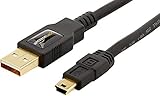
  • A Mini-USB Cable (Note: NOT Micro-USB. The old, thick one used for PS3 controllers).
  • Neato USB Drivers
  • NeatoControl
  • Neato/Vorwerk Offline Updater Tool
Amazon Basics USB-A to Mini USB 2.0 Cable, 480Mbps Transfer Speed with Gold-Plated Plugs, 3 Foot, Black
  • IN THE BOX: (1) 3 foot high-speed USB 2.0 A-Male to Mini-B cable
  • FOR SPEED CRITICAL DEVICES: Connects speed critical devices, such as external hard drives and smart phones, and peripherals that require a Mini-B connection to your computer
  • GOLD-PLATED CONNECTORS: Constructed with corrosion-resistant, gold-plated connectors for optimal signal clarity and shielding to minimize interference
  • BACKWARDS COMPATIBLE: Backwards compatible with USB 1.0
  • FRUSTRATION FREE PACKAGING: Easy to open; shipped in Certified Frustration-Free Packaging
$4.79 Amazon Prime
Buy on Amazon

The Procedure: Flashing the Brain

Step 1: Install the Neato USB Driver (Windows 10/11)

Connect your Neato to your PC via the Mini-USB port (hidden under a rubber flap near the dust bin).

If your PC doesn't chime, or you don't see a new COM port in Device Manager, you need to install the legacy Neato USB driver.

(Note: Windows 10/11 users may need to “Disable Driver Signature Enforcement” to install these old drivers).

Step 2: Prepare the Robot

  • Remove the robot from the charging base.
  • Ensure the battery is at least 50% charged.
  • Connect the USB cable. The robot's LCD should say “firmware update mode” or just blank out.

Step 3: Set your XV Neato as VR100

You need to temporarily mask your Neato XV robot as Vorwerk VR100 so that you can flash it with VR100 firmware. This makes the flushing process simple.

Run NeatoControl, then press Connect.

On the “Commands” Tab, enter and run the command “SetConfig ModelID VR100“

On the main tab, select “disconnect“, followed by “connect” – your Neato XV should appear as a VR100.

On the main tab, select “disconnect“, then exit NeatoControl.

Step 4: Run the Updater

Unzip the Neato/Vorwerk Offline Updater Tool v1.20 (for Rev 113 boards) and run it as Administrator.

The tool looks ancient, but it works.

  1. Select your Neato's COM port.
  2. Click Update.
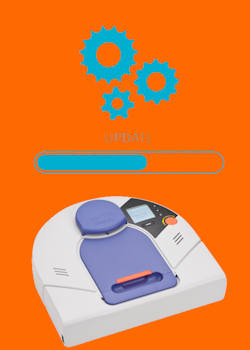
  3. DO NOT TOUCH ANYTHING. The bar will crawl slowly. The robot might beep. The fan might twitch. This is normal.

Step 5: Set your Neato XV model name back

Run NeatoControl.exe again, and run the command “SetConfig ModelID XVXX” (replace XX with 11or 14 or 15 or 21, corresponding to your Neato XV model number).

Teenitor Solder Sucker Desoldering Vacuum Pump Solder Removal Tool 3pcs/Pack Desoldering Pump Soldering Sucker Tool
JCCON 10-Pack 35V 100uF Premium Quality Low ESR Electrolytic Capacitors 6x7mm (0.24x0.28in), 35Volt 100MFD High-Frequency Caps with Superior Performance
Soldering Iron Kit, 80W 110V LCD Digital Solder Iron Pen with Ceramic Heater, Portable Welding Tools with 5pcs Tips, Stand, Solders Wire, Sponge, Paste, for Metal,Electric Repairs, DIY
Teenitor Solder Sucker Desoldering Vacuum Pump Solder Removal Tool 3pcs/Pack Desoldering Pump Soldering Sucker Tool
JCCON 10-Pack 35V 100uF Premium Quality Low ESR Electrolytic Capacitors 6x7mm (0.24x0.28in), 35Volt 100MFD High-Frequency Caps with Superior Performance
Soldering Iron Kit, 80W 110V LCD Digital Solder Iron Pen with Ceramic Heater, Portable Welding Tools with 5pcs Tips, Stand, Solders Wire, Sponge, Paste, for Metal,Electric Repairs, DIY
$7.19
Price not available
$9.99
-
-
-
-
-
-
Buy on Amazon
Buy on Amazon
Buy on Amazon
Teenitor Solder Sucker Desoldering Vacuum Pump Solder Removal Tool 3pcs/Pack Desoldering Pump Soldering Sucker Tool
$7.19
-
-
Buy on Amazon
JCCON 10-Pack 35V 100uF Premium Quality Low ESR Electrolytic Capacitors 6x7mm (0.24x0.28in), 35Volt 100MFD High-Frequency Caps with Superior Performance
Price not available
-
-
Buy on Amazon
Soldering Iron Kit, 80W 110V LCD Digital Solder Iron Pen with Ceramic Heater, Portable Welding Tools with 5pcs Tips, Stand, Solders Wire, Sponge, Paste, for Metal,Electric Repairs, DIY
$9.99
-
-
Buy on Amazon

Step 6: The Reboot

When the software says “Update Complete,” disconnect the USB cable.

The robot will reboot. When the screen comes back on, look closely.

Does the startup sound different? Does the menu look slightly different?

Congratulations. Your robot now speaks German (figuratively—you can set the language back to English in the menu).

Troubleshooting: “My Robot Won't Boot!”

If the update fails halfway, your robot might have a blank screen. Don't panic.

  1. The Hard Reset: Hold the Power button for 15 seconds until it fully shuts off.
  2. The “Safe Mode” Boot: Hold the Left Bumper while pressing the Power button. This forces the robot into a recovery mode where you can try flashing again.

The Verdict

Is it worth the risk? For owners of the older Rev 113 boards, absolutely. The navigation improvement alone gives the machine a second life. Plus, there is something satisfying about running “forbidden” software on a machine the manufacturer abandoned.

Now that your robot is fully restored—new battery, fixed Lidar, upgraded capacitors, and hacked firmware—how do you keep it running for another decade? In our next post, we compile the Ultimate Spare Parts Scavenger List.

Please let us know your questions in the comment box below, if you have any questions about updating your Neato XV with Vorwerk VR100 firmware.

RF-500TB-12560 Mini Electric DC Motor 3V-12V 2700RPM DC Motor 32mm Diameter Motor, Pack of 2
caSino187 XV Lidar Motor Drive Belt for Neato XV Series Signature xv-21 xv-12
RF-500TB-12560 Mini Electric DC Motor 3V-12V 2700RPM DC Motor 32mm Diameter Motor, Pack of 2
caSino187 XV Lidar Motor Drive Belt for Neato XV Series Signature xv-21 xv-12
$9.99
$9.95
-
-
-
-
Buy on Amazon
Buy on Amazon
RF-500TB-12560 Mini Electric DC Motor 3V-12V 2700RPM DC Motor 32mm Diameter Motor, Pack of 2
$9.99
-
-
Buy on Amazon
caSino187 XV Lidar Motor Drive Belt for Neato XV Series Signature xv-21 xv-12
$9.95
-
-
Buy on Amazon

Filed Under: Automatic Vacuum Cleaner, NeatoXV Tagged With: battery, Binky, Cruz, error 3000, firmware, hard reset, Lidar, neato XV, NeatoControl, safe mode, software, USB driver, Vorwerk, VR100

The Vault: Neato XV & Vorwerk VR100 Software Repository

January 8, 2026 by simon Leave a Comment

Neato XV & Vorwerk VR100 Software Repository

Since Neato Robotics shut down its servers, finding the essential software to maintain, update, or hack your Neato XV has become a scavenger hunt across broken links and dead forums.

We have archived everything here.

This page contains verified, safe downloads for the Neato USB drivers, NeatoControl diagnostic software, and the legendary Vorwerk VR100 firmware. However, the source of Neato XV firmware v3.4 was not tested.

⚠️ DISCLAIMER: Flashing firmware carries inherent risks. MyNeatoXV.com is not responsible if you brick your robot. Ensure yourbattery is charged before attempting any updates. Additionally, all related software is hosted on community or GitHub sites; therefore, we have no control over its authenticity.

Table of contents

  • 1. The Gateway: USB Drivers
    • 📥 [Download Neato USB Driver (x64) .zip]
  • 2. Diagnostic Tools
    • Option A: NeatoControl (Classic)
    • 📥 [Download NeatoControl Version 2.6]
    • Option B: Neato Toolio (Modern)
    • 📥 [Download Neato Toolio Installer Version 1.0.0.29]
  • 3. Flashing Tools (The Offline Updaters)
    • 🛠️ Neato/Vorwerk Offline Updater Tool
    • 📥 [Download Neato Offline Updater Tool V1.2.0]
  • 4. The Firmware Files (The Brains)
    • 📁 The “Holy Grail” Hack: Vorwerk VR100 Firmware v3.2
    • 📥 [Download Vorwerk VR100 Firmware 3.2]
    • 📁 The Standard Stability Fix: Neato Firmware v3.4
    • 📥 [Download Neato Firmware 3.4]
  • 5. Troubleshooting Resources

1. The Gateway: USB Drivers

Before you can use any diagnostic tool or updater, your PC must recognize the robot.

  • Compatibility: Windows 7, 8, 10, 11 (x64).
  • Note for Windows 10/11: You may need to “Disable Driver Signature Enforcement” to install these legacy drivers.

📥 [Download Neato USB Driver (x64) .zip]

Because Neato has shut down all its software repositories, you need to download the Neato USB driver from some community sources:

https://www.robotreviews.com/chat/download/file.php?id=9911

2. Diagnostic Tools

Use these to check battery health, test Lidar RPM, and calibrate sensors.

Option A: NeatoControl (Classic)

The original Russian-developed tool. Best for visualizing Lidar data (red dot scatter plots) and graphing sensor noise.

  • Best for: Lidar diagnostics (Error 3000 troubleshooting).
  • Language: English / Russian / German.

📥 [Download NeatoControl Version 2.6]

https://bitbucket.org/heXor/neatocontrol/downloads/neatocontrol.zip

Option B: Neato Toolio (Modern)

A newer, open-source alternative that is lighter and often friendlier on Windows 11. Excellent for quick motor toggling.

  • Best for: Quick checks and reading internal error logs.

📥 [Download Neato Toolio Installer Version 1.0.0.29]

https://github.com/jdredd87/NeatoToolio/raw/master/Installer/NeatoToolio_Install.exe

RF-500TB-12560 Mini Electric DC Motor 3V-12V 2700RPM DC Motor 32mm Diameter Motor, Pack of 2
caSino187 XV Lidar Motor Drive Belt for Neato XV Series Signature xv-21 xv-12
RF-500TB-12560 Mini Electric DC Motor 3V-12V 2700RPM DC Motor 32mm Diameter Motor, Pack of 2
caSino187 XV Lidar Motor Drive Belt for Neato XV Series Signature xv-21 xv-12
$9.99
$9.95
-
-
-
-
Buy on Amazon
Buy on Amazon
RF-500TB-12560 Mini Electric DC Motor 3V-12V 2700RPM DC Motor 32mm Diameter Motor, Pack of 2
$9.99
-
-
Buy on Amazon
caSino187 XV Lidar Motor Drive Belt for Neato XV Series Signature xv-21 xv-12
$9.95
-
-
Buy on Amazon

3. Flashing Tools (The Offline Updaters)

Since the official online updater is dead and the Neato website has been permanently shut down, you need some Vorwerk tools (for VR100) to push firmware to your robot.

🛠️ Neato/Vorwerk Offline Updater Tool

When using Vorwerk tools to update your Neato XV firmware, you need to bypass the server check so that it allows you to select a local firmware file from your computer.

📥 [Download Neato Offline Updater Tool V1.2.0]

https://www.vorwerk.com/de/de/c/home/service/kobold/software-updates/updates-fuer-den-vr100

4. The Firmware Files (The Brains)

CRITICAL: Check your board revision before flashing!

  • Cruz Board (Rev 113): Compatible with firmwares up to Vorwerk 3.2 (The Hack) or Neato 3.2.
  • Binky Board (Rev 64): ONLY compatible with Neato 3.4. Do NOT flash Vorwerk firmware on a Binky board.

📁 The “Holy Grail” Hack: Vorwerk VR100 Firmware v3.2

This is the German firmware that enables “Corner Cleaning” mode and improved navigation on Neato XV-11, XV-12, and XV-21 (Cruz boards only).

📥 [Download Vorwerk VR100 Firmware 3.2]

https://www.vorwerk.com/de/de/c/dam-home/downloads/software-updates/vr100/Firmware_3.2.zip

📁 The Standard Stability Fix: Neato Firmware v3.4

The final official release for the Neato XV. Best for newer “Signature” models or Rev 64 boards.

📥 [Download Neato Firmware 3.4]

https://disk.yandex.com/d/O3xXQ8t_NLw9lA (the source was not tested; use at your own risk).

5. Troubleshooting Resources

  • Robot not connecting? Try a different Mini-USB cable (many are charge-only).
  • “Device Descriptor Failed”? Uninstall the device in Device Manager and manually select the Neato Driver.
  • Stuck in “Firmware Update Mode”? Hold the Power button for 15 seconds to hard reset.

Need help using these tools? Check out our NeatoControl Guide or our Firmware Hacking Tutorial.

Nispira 12 Pack Hepa Filter Replacement Compatible with Neato XV-15 XV-25 XV21 Vorwerk VR100 Vaccum
Powerextra 7.2V 4000mAh Battery Compatible with Neato XV-11 XV-12 XV-14 XV-15 XV-21 XV-25, XV Essential, XV Signature Pro Robotic Vacuum Cleaners Neato Replacement Battery 945-0005 205-0001 (2 Pack)
Nispira 12 Pack Hepa Filter Replacement Compatible with Neato XV-15 XV-25 XV21 Vorwerk VR100 Vaccum
Powerextra 7.2V 4000mAh Battery Compatible with Neato XV-11 XV-12 XV-14 XV-15 XV-21 XV-25, XV Essential, XV Signature Pro Robotic Vacuum Cleaners Neato Replacement Battery 945-0005 205-0001 (2 Pack)
-
-
$11.99
$37.99
-
-
Buy on Amazon
Buy on Amazon
Nispira 12 Pack Hepa Filter Replacement Compatible with Neato XV-15 XV-25 XV21 Vorwerk VR100 Vaccum
-
$11.99
-
Buy on Amazon
Powerextra 7.2V 4000mAh Battery Compatible with Neato XV-11 XV-12 XV-14 XV-15 XV-21 XV-25, XV Essential, XV Signature Pro Robotic Vacuum Cleaners Neato Replacement Battery 945-0005 205-0001 (2 Pack)
-
$37.99
-
Buy on Amazon

Do you need help on Neato XV software repository?

If you have questions about Neato XV software repository, please let us know in the comment box below.

Filed Under: Automatic Vacuum Cleaner, NeatoXV Tagged With: battery, error 0002, error 3000, firmware, Lidar, Neato Toolio, neato XV, neato XV repair, NeatoControl, software, USB driver, Vorwerk

The best joke book!

All Over The Map: Funny Stories for Every Place You Go—From 36,000 Feet to the Bedroom
$4.99
Buy on Amazon

Sale

Sale NASTIMA Upgrade 7.2V 5200mAh Li-ion Battery Replacement Compatible with Neato XV11 XV12 XV14 XV15 XV21 XV25, XV Essential, XV Signature, XV Signature Pro Robotic Vacuum Cleaner
NASTIMA Upgrade 7.2V 5200mAh Li-ion Battery Replacement Compatible with Neato XV11 XV12 XV14 XV15 XV21 XV25, XV Essential, XV Signature, XV Signature Pro Robotic Vacuum Cleaner
$36.99
Buy on Amazon

RSS Headphone Guides

  • Bone Conduction Headphones Buyer’s Guide: 2026 Edition
  • Bone Conduction Audio Technology: A Technical Breakdown
  • Science And Architecture of Bluetooth Auracast
  • Bluetooth LE Audio and the LC3 Codec: A Technical Deep Dive
  • The Physics and Engineering of Super Wide Band (SWB) Voice
  • True Wireless Stereo (TWS) Explained
  • The Complete Technical Guide to the Galaxy Buds 4 & Buds 4 Pro

RSS Google Home Guides

  • How to Use Quick Gestures on Nest Hub 2nd Gen and Nest Hub Max?
  • Understand the layout of Nest Hub (including Nest Hub 2nd Gen, Google Home Hub)
  • How to control Nest Audio?
  • Nest Audio Guides
  • Layout of Google Nest Mini (Google Home Mini 2nd Gen)

RSS Galaxy S25 Guides

  • All New Features of One UI 8 (Android 16) Update for Galaxy S25, S24, S23, and S22
  • One UI 8 Update Highlights for Galaxy S25, S24, S23, and S22
  • How to manage camera modes on Galaxy S25 (and Galaxy S24, S23, S22, and S21 with One UI 7 update)?
  • How to Use Galaxy S25 Camera App?
  • A Definite Guide to Galaxy S25 Flipsuit Case

Copyright ©2026 · MyNeatoXV.com: Everything about Neato XV robotic vacuums · Proudly Hosted by PTRHosting